



Unforeseen natural or man-made catastrophes can disrupt an organization’s cloud infrastructure unexpectedly. To safeguard against data loss and maintain business operations, it’s crucial for organizations to proactively prepare for such scenarios and invest in tools such as Azure Virtual Desktop.
Yet, data loss isn’t the sole concern for IT professionals in disaster planning. A robust disaster recovery strategy is equally vital to sustain uninterrupted business operations. This may include redirecting requests or switching to a secondary location if an application becomes unresponsive or if an entire region of a public cloud experiences an outage.
What Is Azure Virtual Desktop Disaster Recovery?
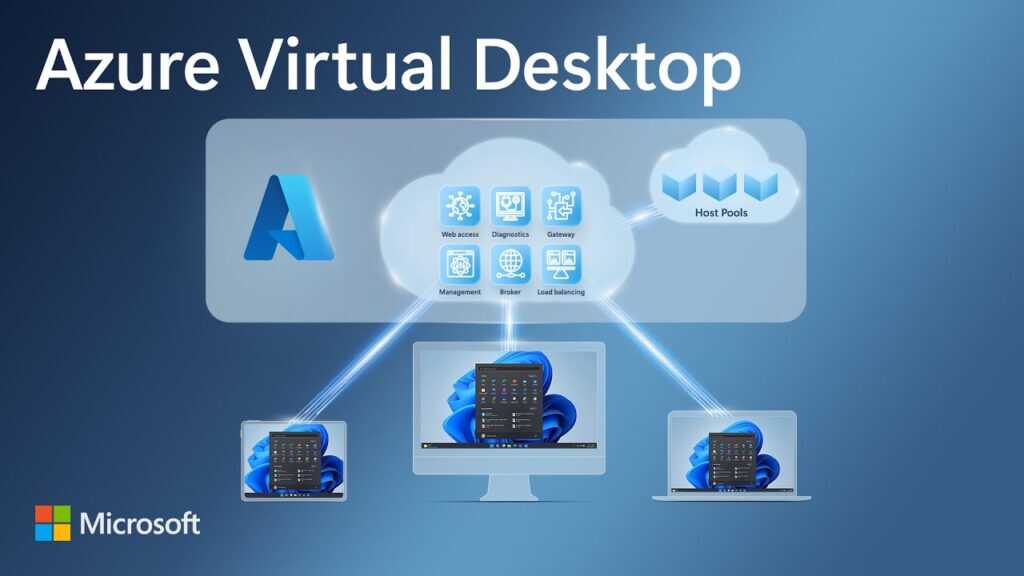
Business continuity and disaster recovery are crucial for businesses of all sizes. The ability to keep operations running during disruptions and the ability to recover quickly in the event of a disaster are essential for maintaining customer trust and protecting the bottom line. One solution that can help businesses achieve both of these goals is Azure Virtual Desktop.
Azure Virtual Desktop is a VDI service provided by Microsoft that allows businesses to access their applications and data from anywhere, at any time. This makes it a great solution for ensuring business continuity during disruptions such as power outages, network failures, or natural disasters. With Azure Virtual Desktop, employees can access their work environment from any device with an internet connection, ensuring that they can continue to work and collaborate even if the office is unavailable.
In addition to providing business continuity, Azure Virtual Desktop can also help businesses with disaster recovery. The service can provide a secondary or disaster recovery environment that can be quickly activated in the event of a disaster. Additionally, Azure Virtual Desktop can failover to a secondary location, ensuring that your business can continue to operate even if the primary location is unavailable.
Learning How to Create a Disaster Recovery Plan Using Azure Virtual Desktop
Let’s consider that you are employed by a financial organization with offices spread across various geographic locations. The organization acknowledges the importance of creating a plan for data replication and recovery in the event of an outage affecting one or more of these offices.
Your specific responsibility is to ensure that the Azure infrastructure of your organization is appropriately configured to tackle this significant challenge. Your primary focus is on safeguarding the existing Azure Virtual Desktop environment, which is extensively used by the organization’s remote employees to access critical company applications.
Throughout this blog, you will gain insights into implementing a business continuity and disaster recovery (BCDR) strategy for Azure Virtual Desktop. Additionally, you will acquire the knowledge required to keep the organization’s applications and workloads operational during both planned and unforeseen service interruptions or Azure outages.
Learning Objectives:
- How to evaluate and identify a redundancy option for Azure Virtual Desktop.
- How to plan an appropriate BCDR strategy to help protect against unplanned and planned failures.
How to Develop a Business Continuity Disaster Recovery (BCDR) Plan for Azure Virtual Desktop
Azure offers several features to enhance the resilience of your Azure Virtual Desktop and infrastructure. These features can be integrated into your business continuity and disaster recovery (BCDR) strategy for Azure Virtual Desktop.
- Region Pairing: Azure regions consist of datacenters within a defined latency perimeter, interconnected via a dedicated low-latency network. Each Azure region is paired with another, ensuring that updates occur sequentially rather than simultaneously. This pairing is also used for replication, enhancing isolation and reducing recovery time in case of failure.
- Availability Sets: Availability sets group VM resources within an Azure datacenter to ensure isolation. They consist of update domains and fault domains. Update domains allow for staggered maintenance, while fault domains ensure diversity in server rack placement. Placing VMs in an availability set automatically spreads them across fault domains, minimizing the impact of hardware failures.
- Availability Zones: Availability zones are physically independent datacenter locations within a region, each with its power, cooling, and networking. Deploying resources across availability zones protects workloads from datacenter outages while maintaining a presence in the region. This approach provides higher resiliency and a formal 99.99 percent high-availability SLA.
- Azure Site Recovery: Azure Site Recovery manages disaster recovery orchestration by replicating VM workloads between Azure regions. It can be used to replicate domain controllers, session host VMs, user and app data, and even Azure Storage resources across regions. It offers customizable replication policies for snapshots and recovery points.
- Snapshots and Recovery Points: Azure Site Recovery allows for customizable replication policies, including crash-consistent and app-consistent snapshots. App-consistent snapshots capture in-memory data and in-process transactions, facilitating VM and app restoration without data loss.
- Azure Backup: Azure Backup is an Azure service that provides secure backup for all Azure-managed data assets. It offers self-service backups and restores, at-scale management, and cost-effectiveness. It can be configured for VMs and Azure Files shares containing FSLogix profiles or MSIX app attach.
- User Data in OneDrive: Utilizing Microsoft OneDrive, you can redirect well-known folders (e.g., Desktop, Documents, Pictures), enhancing resilience for these folders.
- Virtual Network: Part of your BCDR strategy involves setting up a virtual network in your secondary region. This can be done manually with peering to the primary network or through Site Recovery. Be mindful of IP address ranges when creating virtual networks in different regions.
- Domain Name System (DNS): To ensure Active Directory authentication in the disaster recovery region, set up a custom DNS server within the virtual network. This ensures VMs can locate domain controllers for authentication, even in the event of a disaster.
These Azure features collectively contribute to a robust BCDR strategy for Azure Virtual Desktop and help safeguard your organization’s critical operations.
Case Study: Lionstreet’s implementation of Azure Virtual Desktop has allowed the company to mitigate challenges of allowing outside contractors devices and access to their network.
How to Identify the Correct AVD Disaster Recovery Scenario
Scenario 1: Local Corruption of Data, Metadata, or Resources
In this scenario, your Azure Virtual Desktop environment may encounter issues such as session host failure or corruption of FSLogix profiles. Here’s a summary of how to handle different components:
- Azure Virtual Desktop Service: The service itself remains unaffected by these failures, and Microsoft is responsible for restoring it within the SLA.
- AD DS and Azure AD DS: Ensure redundancy for domain controllers, whether in Azure VMs or on-premises, to maintain Active Directory functionality. Azure AD DS is managed by Microsoft and includes redundant controllers.
- Host Pools: Host pools can be recreated if a desktop image is available, and a similar approach should be considered for app host pools.
- Virtual Networks: These managed services are resilient and remain operational during local resource failures.
- FSLogix Profiles and MSIX App Attach: Use Azure Backup for Azure Files shares and Azure NetApp Files snapshots to safeguard FSLogix profiles, or consider backup services for server VMs.
- Images: Maintain backups of desktop images for quick recovery in case of corruption.
Scenario 2: Single Datacenter or Availability Zone Failure within an Azure Region
In this scenario, the failure affects a datacenter or zone within an Azure region. Here’s a summary of recommended actions:
- Azure Virtual Desktop Service: The service remains operational, and Microsoft is responsible for restoring it within the SLA.
- AD DS and Azure AD DS: Deploy at least two domain controllers in an availability zone to prevent a single datacenter failure. Azure AD DS is managed by Microsoft, including redundant controllers where supported.
- Host Pools: Use availability zones for VMs in host pools to distribute them across different datacenters within the same region.
- Virtual Networks: Virtual networks are unaffected, but ensure dependable resources have appropriate network connectivity.
- FSLogix Profiles and MSIX App Attach: Utilize Azure Files with Premium Zone Redundant Storage for availability zone support.
- Images: Image availability is not impacted, as they are accessible in another zone.
Scenario 3: Azure Region Outage

This scenario involves a complete Azure region outage, which is rare but must be prepared for. Here are the key recommendations:
- Azure Virtual Desktop Service: The service remains functional, and Microsoft is responsible for restoration within the SLA.
- AD DS and Azure AD DS: Expand a managed domain to have more than one replica set per Azure AD tenant. Configure connectivity to virtual networks in the new region for on-premises domain controllers.
- Host Pools: Deploy host pools in active-active or active-passive configurations to ensure service continuity across regions.
- Virtual Networks: Plan for a virtual network in your secondary region, either manually or using Azure Site Recovery, for preserving network settings.
- FSLogix Profiles and MSIX App Attach: Use storage options that support cross-region replication, such as Azure NetApp Files or Azure Files with Standard performance.
- Images: Replicate images in the secondary region after modifications and use Azure Compute Gallery for sharing custom images across regions.
- App Dependencies: Ensure applications dependent on primary region resources have equivalent resources in the secondary region, including databases and replication plans using Azure Site Recovery. Include app dependencies in the BCDR plan for comprehensive protection.
Secure and Scale Your Remote Workforce
Your organization necessitates an up-to-date, secure, and highly scalable VDI solution to cater to its remote workforce and shield them against both planned and unforeseen disruptions.
Planning for disasters and establishing recovery strategies are pivotal aspects of IT operations, regardless of whether an organization’s systems are on-premises, cloud-based, or a blend of both. Public cloud platforms provide services for safeguarding crucial data and restoring it in case of loss. They also furnish services for transitioning to backup systems when primary systems encounter issues and for managing and recovering from the repercussions of such incidents.
Throughout this blog, you have learned what it takes to fortify the security of your Azure Virtual Desktop environment. You have also gained insights into safeguarding your organization from diverse failure scenarios, thus bolstering business continuity.
But sometimes you will need professional support
That’s where 360 Visibility comes in. Whether you are looking to implement Azure Virtual Desktop, or get Azure Cloud Management and Support to ensure you are using it correctly, the experts at 360 Visibility can help.