

Microsoft Dynamics NAV (Navision) Partner
Microsoft Dynamics NAV (commonly known as NAV or Navision) is a robust Enterprise Resource Planning (ERP) solution designed for small and mid-sized businesses (SMBs) to manage core business tasks.
Dynamics NAV is officially end-of-life. Mainstream support ended in January 2023, and extended support ends by 2028. Now is the time to future-proof your business. Upgrade to Microsoft Dynamics 365 Business Central with 360 Visibility to stay secure, compliant, and innovative with a modern cloud ERP. Let 360 Visibility guide your transition.
Dynamics NAV End of Life Status and Next Steps
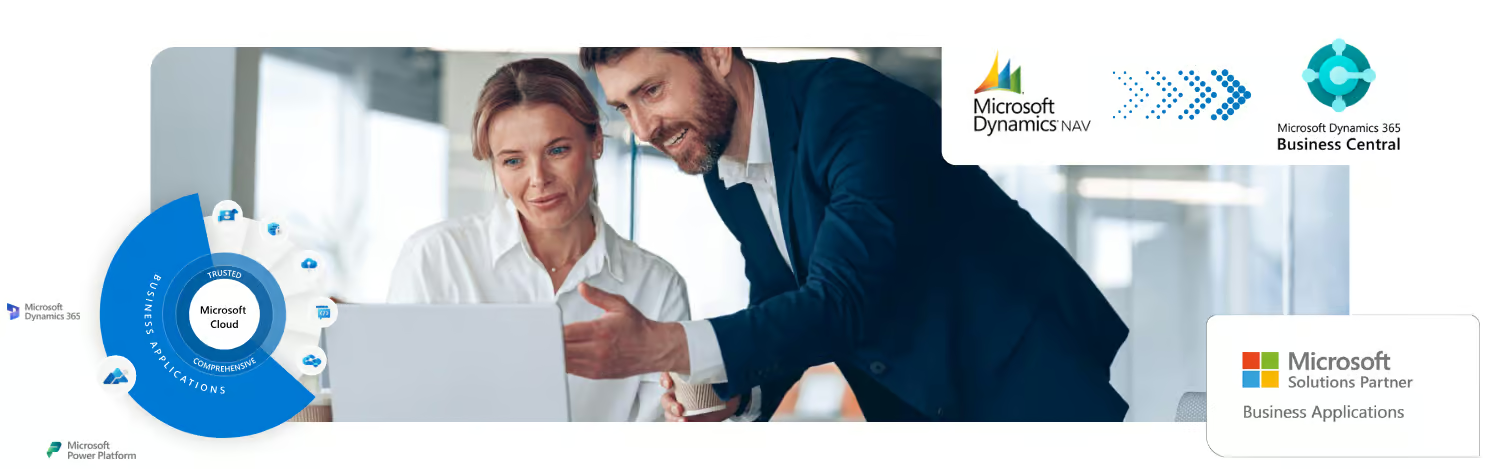
The era of Dynamics NAV is ending as Microsoft transitions customers to its successor, Dynamics 365 Business Central (BC). Dynamics 365 Business Central is the cloud-based evolution of NAV, incorporating all its core business logic and functionality while adding enhanced features.
MS Dynamics NAV End of Life
Gain clarity on what Dynamics NAV's End of Life means - and how to confidently plan your next move.
Dynamics NAV to Business Central Upgrade
Understand the transition from Dynamics NAV to Business Central—and how it can future-proof your business with modern cloud capabilities.
Business Impact Assessment
Evaluate your ERP options with confidence—this assessment helps you understand the business impact of Dynamics NAV's End of Life and plan a clear path forward.
The 360 Visibility Difference: Confidently Upgrade from Dynamics NAV
If you are using Dynamics NAV, you must be aware of the substantial functional upgrades and new capabilities offered by Dynamics 365 Business Central. We can help you determine the unique value and associated costs with upgrading to the new Microsoft Dynamics 365 Business Central. Contact us today to learn more about moving from Dynamics NAV to Business Central or getting ongoing support for your existing Dynamics NAV applications.
Real success stories from businesses like yours
Finlandia Village
Replacing a 20+ year legacy ERP with a modern, compliance-ready Business Central solution
DK Household Brands
Migrating from Syspro to Dynamics 365 Business Central
ATTA Elevators
ATTA Elevators, a rapidly growing elevator service company, partnered with 360 Visibility to implement Microsoft Dynamics 365 Business Central, transforming their operations and enabling scalable growth.
Heart and Stroke Foundation
360 Visibility upgraded Dynamics GP to Dynamics 365 Business Central to address foundational challenges in a hybrid work environment at Heart & Stroke
Process Fusion
Tasked with modernizing Process Fusion Inc's financial systems, 360 Visibility leveraged Dynamics 365 Business Central to enhance profitability reporting, remote accessibility, and automation.
EXCELLENTTrustindex verifies that the original source of the review is Google. Excellent service.Posted on GoogleTrustindex verifies that the original source of the review is Google. 360 Visibility is great organization and helps us for any question we could have about the Dynamics 365 BC. Highly recommended.Posted on GoogleTrustindex verifies that the original source of the review is Google. 360 Visibility has been great to us! Great Service!Posted on GoogleTrustindex verifies that the original source of the review is Google. I first joined 360 Visibility in 2013 as a communications specialist. Lynn, Marco and the entire team welcomed me instantly and were incredibly accommodating. They were also flexible, understanding and supportive - even when I changed career paths. Years later, I am glad that we got to reconnect and start collaborating again. This is a great company, with a family-oriented mindset. Everyone is treated as an equal.Posted on GoogleTrustindex verifies that the original source of the review is Google. Choosing our new ERP Microsoft Dynamic 365 Business Central for our organization is easy. However, choosing which Microsoft partner for our MD365BC implementation and continuous support requires more research and creating list as to pricing, experience, support, etc. We had few in our list and we begin having a meeting with them. However, one that stands out is 360 Visibility. They listened to us first and structured a detailed plan for implementation. The other provider plan is so summarize and we don't know what instore for us during the implementation which just give us anxiety and pushing the standard set up that they usually do to other organization. During implementation set up, 360 Visibility continuously listen to what we need and recommend the best set up for our organization. 360 Visibility really did customize MD365BC to the best of our need. Simaak and Kosha are superb. We feel so lucky having them. They are both well-experienced and have brilliant mind. Kosha's after implementation support is amazing. We cannot find any other provider than 360 Visibility. Nobody can beat their pricing for implementation and after implementation support. We are so satisfied and happy with MD365BC but it's because we've chosen 360 Visibility as our partner. 360 Visibility have it all.Posted on GoogleTrustindex verifies that the original source of the review is Google. 360 Visibility are 5-star IT support! Their team is extremely knowledgeable, responsive and took time to understand the needs of our business. From initial consultation to final product delivery, they were overall an amazing team to work with. We highly recommend to anyone needing reliable IT services and support for their business.Posted on GoogleTrustindex verifies that the original source of the review is Google. Working with 360 Visibility has been a game-changer for our organization. Their team consistently delivers top-tier support across Microsoft and Azure services, combining deep technical expertise with a genuine commitment to customer success. From the start, their consultants took the time to understand our business needs and tailored a solution that streamlined our operations. Their implementation of Microsoft and Azure policies was seamless and significantly improved our security and workflows. What truly sets 360 Visibility apart is their responsiveness and professionalism. Whether it's a quick question or a complex issue, their support team is always available and eager to help. Their attention to detail and ability to meet deadlines make them a trusted partner in our digital transformation journey. I highly recommend 360 Visibility to any organization looking for reliable, knowledgeable, and proactive support for Microsoft and Azure platforms.Posted on GoogleTrustindex verifies that the original source of the review is Google. Support techs are knowledgeable and responsivePosted on GoogleTrustindex verifies that the original source of the review is Google. Responsive, organized, smart, helpful and great follow up! Much appreciated.
Frequently Asked Questions about Microsoft Dynamics NAV
This FAQ is designed to help organizations currently using Microsoft Dynamics NAV (Navision) understand the transition process and key benefits of upgrading to Microsoft Dynamics 365 Business Central (BC).
Q: What is Dynamics NAV?
Dynamics NAV is a legacy ERP software that offers a comprehensive suite of features aimed at providing a centralized platform for processes, helping organizations get a better overview of their business and establishing a "single source of truth". Dynamics NAV is replaced by Dynamics 365 Business Central.
Dynamics NAV functionality is broken down into various modules to meet extensive business needs. Key areas covered include:
- Financial Management: Users can efficiently manage accounting, cash flows, fixed assets, process receivables, and oversee bank reconciliations. It can also be used to operate multiple companies from the same interface.
- Supply Chain Management: Features functionality for scheduling and purchasing, managing inventory and warehouses, and overseeing picking, packing, and shipping.
- Manufacturing: This module is particularly popular and helps businesses plan orders and deliveries, manage production versions, and forecast demand.
- Project Management: Enables users to plan budgets and capacities, cost resources, and automate invoicing.
- Sales and Marketing: Includes capabilities related to customers, managing inquiries, marketing campaigns, contracts, and agreements, functioning as a basic Customer Relationship Management (CRM) solution.
- Service Management: Used to track customer inquiries, create tickets, manage orders, and generate reports.
- Human Resources: Provides basic HR management features, such as tracking employee records and absence.
Q: Key benefits of Dynamics NAV
Dynamics NAV has been immensely popular over the decades due to its adaptability, user experience, and cost-effectiveness.
These Dynamics NAV features and benefits are now outdated and improved significantly in Dynamics 365 Business Central.
- Customization and Flexibility: NAV is highly flexible and can be tailored to specific business or industry needs. However, customizing Dynamics NAV involves modification of the core system using the C/AL language.
- Enhanced Productivity: The system is designed to improve productivity by allowing users to cut down on time spent on administrative tasks and automate processes. It features an intuitive and customizable RoleTailored user experience that presents information relevant to specific job roles.
- Microsoft Integration: NAV offers native integration with common Microsoft applications, including Office, Outlook, and SharePoint. It also integrates naturally with Microsoft Power BI to visualize key information and provide AI-fueled guidance.
- Rapid Deployment: Implementation can be expedited through the use of RapidStart implementation tools, which simplify and automate recurring configuration tasks.
- Deployment Options: Although typically an on-premise solution, Dynamics NAV can be deployed in a private cloud.
- Licensing Model: Dynamics NAV is licensed through two main plans: the Starter Pack (for core modules) and the Extended Pack (for manufacturing and warehousing capabilities). Licensing is traditionally handled on a per-server basis.
Q: Why do we need to move from Dynamics NAV, and how long do we have before support ends?
End of Life for Dynamics NAV
Dynamics NAV is approaching its end of life (EOL) and will eventually become obsolete software. Mainstream support for Dynamics NAV concluded in January 2023. Crucially, all extended support is scheduled to cease by 2028.
- Once extended support ends, the product will no longer receive essential security updates.
- Dynamics NAV is no longer receiving new feature updates or enhancements.
- No new licenses for Dynamics NAV are being sold.
- Transitioning to Business Central is a necessity for continued Microsoft support and access to modern capabilities.
Q: What is the main difference between Dynamics NAV and Dynamics 365 Business Central (BC)?
Architecture and Deployment Differences
The primary distinction lies in their architecture and deployment models:
- Dynamics NAV: Fundamentally an on-premise ERP solution.
- Dynamics 365 Business Central (BC): Its modern successor, introduced in 2018, designed primarily as a cloud-based ERP (SaaS) solution hosted on Microsoft Azure.
While BC is cloud-first, it offers deployment flexibility, allowing it to be implemented either in the public cloud, a private cloud, or on-premises. BC builds upon the robust functionality of NAV but enhances it with modern capabilities.
Q: How does the licensing model change when moving from NAV to Business Central?
Licensing Structure Comparison: Dynamics NAV vs Dynamics 365 Business Central
| Feature | Dynamics NAV | Dynamics 365 Business Central |
|---|---|---|
| Licensing Basis | Per-server basis (perpetual basis, no new licenses available). | Per-user, monthly subscription basis. |
| License Packages | Starter Pack (core modules) and Extended Pack (manufacturing/warehousing). | Essentials (core modules) and Premium (Essentials plus manufacturing and service management). |
| Limited Access Option | Limited User license (read-only and basic access). | Team Member license (read-only access and employee self-service features). |
| Transition Support | Not applicable (NAV is no longer sold). | Microsoft offers licensing transition offers to simplify the move from NAV to BC. |
Q: How does customization differ between NAV and Business Central, and how does this affect upgrades?
Customization and Upgrade Differences
This change is one of the most critical differences affecting long-term maintenance:
- NAV Development: Customizations used the C/AL language (Client Application Language). These modifications were integral to the core system. When updates or upgrades were needed, the whole system required review, unpicking, and potential redevelopment, making it a difficult, expensive, time-consuming, and risky exercise.
- Business Central Development: Customization is performed using the AL language to create extensions. Extensions are small programs or modifications built on top of the core system, leaving the standard BC code intact.
- Upgrade Benefit: Because the core system is untouched, the use of extensions simplifies and lowers the cost of upgrades. When BC is hosted in the public cloud, major upgrades happen automatically every six months, saving the systems from being outdated.
Q: What specific new features or improvements will my business gain by upgrading to Business Central?
Functional Upgrades in Business Central Compared to Dynamics NAV
| New Capability | Description of Advantage in BC |
|---|---|
| Modern Interface | Features an intuitive, modern, web-based, and responsive user interface. It utilizes a RoleTailored user experience designed to be easy to navigate and maximize productivity. |
| Enhanced Microsoft Integration | Provides seamless integration with the broader Microsoft ecosystem, including Office 365 (Outlook, Excel, SharePoint), Power BI, and the Power Platform (Power Apps, Power Automate, Power Virtual Agents). Users can modify data directly in Excel and publish it back to BC. |
| Artificial Intelligence (AI) | Integrates advanced AI tools, including Dynamics 365 Copilot. Copilot provides predictive analytics, automates routine tasks, and offers real-time decision support, often utilizing Natural Language Processing (NLP). |
| Advanced Search | Features an Advanced Smart Search capability that helps users find documents and entries efficiently, improving upon NAV’s basic search interface. |
| Continuous Updates | Cloud deployments benefit from bi-annual (every six months) feature updates and regular update rollups (fixes every eight weeks) that are applied automatically, ensuring the system is always optimized and secure. |
| AppSource Marketplace | Access to Microsoft AppSource, an app store where functionality (extensions) can be purchased from third-party vendors and installed or uninstalled with a single click, allowing for easy expansion without custom coding. |
Q: What are the benefits of moving to Dynamics 365 Business Central?
Lower Total Cost of Ownership (TCO) with Business Central
The migration often results in a lower total cost of ownership (TCO) compared to maintaining an aging NAV environment:
- Reduced Infrastructure Costs: The cloud (SaaS) model eliminates the need to invest in and manage your own in-house servers and infrastructure.
- Cost-Effective Upgrades: The subscription fee includes automatic upgrades and security patches, avoiding the significant, unpredictable costs associated with mandatory, manual NAV upgrades and customization rewriting.
- Scalability: BC allows scaling capacity (adding/removing users or applications) easily through subscription adjustments, which is more flexible than the hardware investment often required to facilitate growth with on-premise NAV.
Q: What are the necessary steps to migrate our current Dynamics NAV system to Business Central?
Migration Process from Dynamics NAV to Business Central
Migrating from NAV, especially older versions with complex code bases, requires careful planning and professional support:
- Preparation (Version Update): You must first upgrade your system to the latest edition of Dynamics NAV (NAV 2018) before you can bridge over to Business Central.
- Evaluation: Evaluate your existing NAV solution, focusing on current business needs and assessing customizations.
- Code Conversion: Custom code written in the C/AL language must be migrated or rewritten to the modern AL language (extensions).
- Data Migration and Testing: Plan and execute data migration from NAV to BC, ensuring accuracy and integrity, followed by thorough testing.
- Implementation and Configuration: Configure and implement Business Central features to meet specific business objectives, integrating it seamlessly with other systems like Microsoft 365 and the Power Platform.
- Training and Support: Provide proper training for users to adapt to the new system and ensure continuous post-go-live support.
Q: Is Business Central secure, especially since our data would be in the cloud?
Enhanced Security in Business Central
Yes, Dynamics 365 Business Central offers enhanced security compared to legacy NAV systems:
- Robust Infrastructure: BC is hosted on Microsoft Azure, a highly secure and trusted cloud platform used by organizations globally.
- Advanced Protocols: Azure provides robust compliance and security protocols, including advanced threat protection, data encryption, and network security controls that are continually updated.
- Continuous Security Updates: Unlike on-premises NAV, cloud BC receives continuous security updates and patches directly from Microsoft, ensuring protection against new vulnerabilities.
- Data Control: BC allows for detailed access control settings and data governance policies to maintain data integrity and regulatory compliance (such as GDPR, SOC, and ISO standards).