360 Visibility
  • Dynamics 365
    Business Central Services
    • Business Central Implementation
    • Dynamics GP to Business Central Migration
    • Dynamics NAV to Business Central Upgrade
    • Business Central Integrations
    Complimentary Systems Assessment
    Quick Links
    • Business Central Demo Videos
    • Business Central Apps
    • Business Central Contactless Banking Bundle
    • Business Central Blogs
    • ERP Evaluation Guide
    • Business Central Partner Toronto Ontario
    Customer Stories
    dk household brands partners with 360 Visibility to implement Dynamics 365 Business Central

    DK Household Brands implements Business Central with full EDI, WMS, and Shipping integration.

    Read the story
    Dynamics 365 Solutions
    • Dynamics 365 Business Central
    • Dynamics 365 Sales
    • Dynamics 365 Contact Center
    • Dynamics GP
    • Dynamics NAV
  • Cloud
    Azure Cloud Services
    • Azure Cloud Managed Services
    • Azure Infrastructure Modernization and Migration
    • Azure Virtual Desktop
    • Azure Cloud Cost Optimization
    Cloud Infrastructure Assessment
    Quick Links
    • Cloud Blog
    • Cloud Migration Guide
    • Cloud Cost Optimization Playbook
    Customer Stories

    How Azure cloud turned physical hardware bottlenecks into a secure, limitless engine for software growth.

    Read the story
    Cloud Solutions
    • Azure Cloud
    • Power Platform
  • Microsoft 365
    Microsoft 365 Services
    • Microsoft 365 Implementation
    • Microsoft 365 Support Services
    • Microsoft 365 Security Assessment
    • Microsoft 365 Backup and Disaster Recovery
    Complimentary Microsoft License Audit
    Cybersecurity Services
    • Device Management & Security
    • Ransomware & Endpoint Security
    • Purview Data Loss Prevention
    • Purview Insider Risk Management
    • Purview Information Protection
    • Entra ID Identity and Access Management (IAM)
    • Entra ID Backup and Recovery
    Customer Stories
    pain specialists of america works with 360 Visibility to enhance security and control over Azure

    How reclaiming IT control from their MSP slashed Pain Specialists of America's security incidents by 30%.

    Read the story
    Microsoft 365 Solutions
    • Microsoft 365
    • Microsoft Teams Phone
    • Microsoft Places
    • Outlook Email Signature Management
  • Copilot & AI
    Microsoft Copilot & AI Services
    • Copilot AI Leadership Circle
    • Copilot AI Agent Business Impact Assessment
    Complimentary AI Readiness Snapshot
    Quick Links
    • Microsoft 365 Copilot Offer
    • Microsoft 365 Copilot Implementation Guide
    • Copilot and AI Blog
    Customer Stories

    Financial Services Firms' Custom AI Agent for Case Management automates bulk document analysis, saving 35+ hours daily.

    Read the story
    Copilot & AI Solutions
    • Microsoft Copilot
    • Microsoft SharePoint
  • Advisory Services
    • Clarity CSP Portal
    • Business Impact Assessment
    • IT Governance
    • Microsoft License Optimization
    • Quarterly Business Review
  • Industries
    • Wholesale Distribution
    • Financial Services
    • Nonprofit
    • Professional Services
    • Software
    • Hospitality
  • Resources
    • Blog
    • Case Studies
    • Documentation
    • Support
  • About
    • Why Work With Us
    • Partner
    • Careers
✕
No results See all results
Contact Us
Clarity
360 Visibility
burger-bar

Home / Blog / Microsoft Dynamics 365 Business Central / How to Recover a Stalled Business Central Implementation

How to Recover a Stalled Business Central Implementation

Another deadline has moved. Important work remains unfinished. You’re being asked for more time or budget without feeling more confident about the result. Work has been […]

Barbara Allen
Barbara Allen

Published: Nov 4, 2026 •

Table of Contents
  1. Establish what “complete” actually means
  2. Review modifications against the business requirement
  3. Identify the blocker before choosing the remedy
  4. What should the recovery plan contain?
  5. Changing direction doesn’t automatically mean starting over
  6. Before committing more, get a clearer picture

Another deadline has moved. Important work remains unfinished. You’re being asked for more time or budget without feeling more confident about the result.

Work has been done. Confidence in the next step is missing.

Recovery starts with a clear view of what is complete, what is blocking progress, and what must change. Another completion date is not enough.

Establish what “complete” actually means

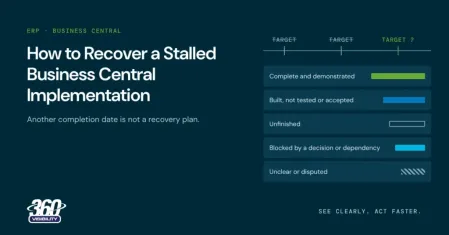
Before discussing a recovery plan, separate the current work into clear categories:

  • Complete and demonstrated.
  • Built but not tested or accepted.
  • Unfinished.
  • Blocked by a decision or dependency.
  • Unclear or disputed.

“Nearly finished” needs an explanation.

For example, an integration status should identify what has been demonstrated, what remains untested, and what is needed before acceptance.

If part of the business is already live, include the operational problems and workarounds experienced by those users. Project status should reflect operational reality, not only implementation milestones. If that describes your situation, see what to do when Business Central is live but not working properly.

stalled what complete means

Review modifications against the business requirement

Existing development should be assessed against what it was intended to achieve, not simply how much has been spent on it.

In one historical partner-switching enquiry received by 360 Visibility, the project had been paused after modifications had been developed. Initial notes identified missing specifications and design documentation.

That was an enquiry, not a documented completed rescue. But it highlights why recovery planning needs to distinguish between:

  • What has been built.
  • What it was intended to do.
  • What has been demonstrated.
  • What still needs investigation.

Missing documentation does not automatically mean the work must be discarded. It means the recovery proposal should explain how that uncertainty will be addressed.

stalled blocker before remedy

Identify the blocker before choosing the remedy

Different blockers require different decisions.

Unresolved business decisions

Identify who needs to decide, what information is missing, and which work depends on the answer.

Unclear scope

Define the outcome of the next stage and what is excluded or deferred.

Untested work

Establish what evidence is needed before the work can be accepted.

Technical uncertainty

Define the investigation needed before committing to a correction.

A support or capacity mismatch

Establish what expertise and availability the next stage requires.

These are review categories, not a diagnosis of your project. Where explanations conflict, document the expected result, the observed symptom, the evidence available, and what must be investigated before choosing a remedy. Our guide to separating Business Central configuration, training, and partner issues shows how to do that.

What should the recovery plan contain?

The next proposal should make seven things understandable:

  1. Outcome: What the next stage will achieve.
  2. Priorities: What comes first and what waits.
  3. Scope: What is included and excluded.
  4. Ownership: Who delivers work and makes decisions.
  5. Dependencies: What must happen before other work can proceed.
  6. Commercials: Costs, assumptions, and milestones.
  7. Acceptance: How completion will be demonstrated.

A Business Impact Assessment can help structure the findings and prioritization discussion. The assessment should connect business problems to recommendations and proposed work, rather than simply catalogue technical issues.

The resulting delivery proposal still needs to explain how the agreed work will be carried out.

stalled recovery plan seven elements

Changing direction doesn’t automatically mean starting over

A revised plan, specialist help, changes to specific work, or a partner transition are options to evaluate.

None should be the conclusion before the environment has been reviewed.

If a transition is under consideration, read about changing Business Central partners without starting over. The aim is to identify what can support the next stage, not defend every previous decision or discard every previous investment.

Before committing more, get a clearer picture

You don’t need to decide the entire project’s future before starting a conversation.

Our Business Central rescue service begins with where things stand and what your business needs. We’ll discuss whether a scoped recovery assessment is appropriate.

Request a Business Central Rescue Review to clarify what is complete, what is blocked, and what the next recovery stage should include.

Barbara Allen

Barbara Allen

Barb is our Vice President of Client Solutions. She is tasked with building and maintaining relationships with key accounts and implementing strategies that align with their business goals. She has worked in various industries holding several key leadership positions. Barb also successfully implemented ERP systems such as Microsoft Dynamics for organizations of all sizes - from start-ups companies with two users, to Fortune 500 companies with over 1,400 users.

See all my posts

Related Posts

  • Microsoft Dynamics 365 Business Central

Nov 4, 2026

Changing Business Central Partners Without Starting Over

You’ve already invested time, money, and patience in Business Central. Changing partners can feel like risking that investment all over again. But changing your partner and […]

Keep reading
  • Microsoft Dynamics 365 Business Central

Nov 4, 2026

Business Central Is Live, but Not Working Properly. What Next?

The project reached go-live. Your team is using Business Central. Congratulations. But finance still rebuilds reports in Excel. Processes happen outside the system. Manual work you […]

Keep reading
  • Microsoft Dynamics 365 Business Central

Nov 4, 2026

Is It Business Central Configuration, Training, or Your Partner?

More training. Another customization. A different process. You’ve heard the explanations. What you need is a reason to believe the next recommendation will address the problem. […]

Keep reading
360 Visibility

360 Visibility is a Microsoft Cloud Solution Provider (CSP) holding Microsoft Solutions Partner designations in Security, Cloud & AI Platforms, and AI Business Solutions.

With over 20 years of experience across Microsoft 365, Dynamics 365, Azure, and Copilot, we help organizations modernize operations, strengthen security, and adopt AI with confidence.

microsoft solutions partner, dynamics 365 business central implementation partner, dynamics 365 sales implementation partner
microsoft solutions partner, microsoft 365 security, defender, entra id, cloud security, microsoft purview
microsoft solutions partner, microsoft 365, office 365, sharepoint, teams phone system
microsoft solutions partner, azure cloud, cloud migration, it governance, technology advisory
microsoft solutions partner badge for digital app and innovation azure
Dynamics 365 Services
  • Dynamics 365 Business Central Partner
  • Dynamics 365 Business Central Implementation
  • Dynamics GP to Business Central Migration
  • Dynamics NAV to Business Central Upgrade
  • Dynamics 365 Sales Implementation
Copilot AI Services
  • Copilot AI Agent Business Impact Assessment
  • Copilot AI Leadership Circle
  • Microsoft 365 Copilot Readiness Assessment
  • Microsoft Copilot AI
Business Advisory Services
  • Business Impact Assessment
  • Quarterly Business Review
Azure Cloud Services
  • Azure Cloud Implementation Partner
  • Managed Azure Services Provider
  • Azure Infrastructure Modernization and Migration
  • Azure Virtual Desktop
  • IT Governance
  • Azure Cloud Cost Optimization
Cloud Security Services
  • Microsoft 365 Security Assessment
  • Backup and Disaster Recovery
  • Data Loss Prevention
  • Insider Risk Management
  • Identity and Access Management
  • Information Protection
  • Entra ID Backup
Company & Resources
  • Blog
  • About 360 Visibility
  • Careers
  • Case Studies
  • Documentation
  • Contact Us
Legal & Technical
  • Terms and Conditions
  • Data Security and Data Privacy
  • Privacy Policy
  • Support
  • Clarity CSP Portal

See Clearly. Act Faster.

Copyright © 2026 360 Visibility Inc. All Rights Reserved

✕
✕
✕
No results See all results
  • Dynamics 365
    • Business Central Services
    • Business Central Implementation
    • Dynamics GP to Business Central Migration
    • Dynamics NAV to Business Central Upgrade
    • Business Central Integrations
    • Quick Links
    • Dynamics 365 Business Central Demo Videos
    • Business Central Apps
    • Contactless Banking Bundle for Dynamics 365 Business Central
    • Business Central Blog
    • ERP Evaluation Guide
    • Dynamics 365 Solutions
    • Dynamics 365 Business Central
    • Dynamics 365 Sales
    • Dynamics 365 Contact Center
    • Microsoft Dynamics GP
    • Microsoft Dynamics NAV
  • Cloud
    • Azure Cloud Services
    • Azure Cloud Managed Services
    • Azure Infrastructure Modernization and Migration
    • Azure Cloud Cost Optimization
    • Azure Virtual Desktop
    • Quick Links
    • Cloud Blog
    • Cloud Migration Guide
    • Cloud Cost Optimization Playbook
    • Cloud Solutions
    • Azure Cloud
    • Power Platform
  • Microsoft 365
    • Microsoft 365 Services
    • Microsoft 365 Implementation
    • Microsoft 365 Support Services
    • Microsoft 365 Security Assessment
    • Microsoft 365 Backup and Disaster Recovery
    • Cybersecurity Services
    • Purview Data Loss Prevention
    • Purview Insider Risk Management
    • Purview Information Protection
    • Entra ID Identity and Access Management (IAM)
    • Entra ID Backup and Recovery
    • Microsoft 365 Solutions
    • Microsoft 365
    • Microsoft Teams Phone
    • Microsoft Places
    • Outlook Email Signature Management
  • Copilot & AI
    • Microsoft Copilot and AI Services
    • Copilot AI Leadership Circle
    • Copilot AI Agent Business Impact Assessment
    • Microsoft 365 Copilot AI Readiness Assessment
    • Quick Links
    • Microsoft 365 Copilot Offer
    • Microsoft 365 Copilot Implementation Guide
    • Copilot and AI Blog
    • Copilot and AI Solutions
    • Microsoft Copilot
    • Microsoft SharePoint
  • Advisory Services
    • Clarity CSP Portal
    • Business Impact Assessment
    • IT Governance
    • Microsoft License Optimization
    • Quarterly Business Review
  • Industries
    • Wholesale Distribution
    • Financial Services
    • Nonprofit
    • Professional Services
    • Software
    • Hospitality
  • Resources
    • Blog
    • Case Studies
    • Documentation
    • Support
  • About
    • About Us
    • Why Work With Us
    • Partner
    • Careers
Contact Us
Clarity
Chat with Claire